
- New

PrestaShop size guide with a shoe size calculator images

v1.0.1 · updated on 10/20/2026
Validated with the official PrestaShop validator
PrestaShop size guide with a shoe size calculator
Shows the size chart of each product in a window on the product page. For shoes, the customer enters their foot length and gets their size.
With a fit notice when a model runs small or large. Free.
- PS 1.7
- PS 8
- PS 9
- Instant download from My modules
- Updates from your account

Developed and maintained by Kebes, a PrestaShop Expert level 3 agency with more than 15 years developing for PrestaShop.
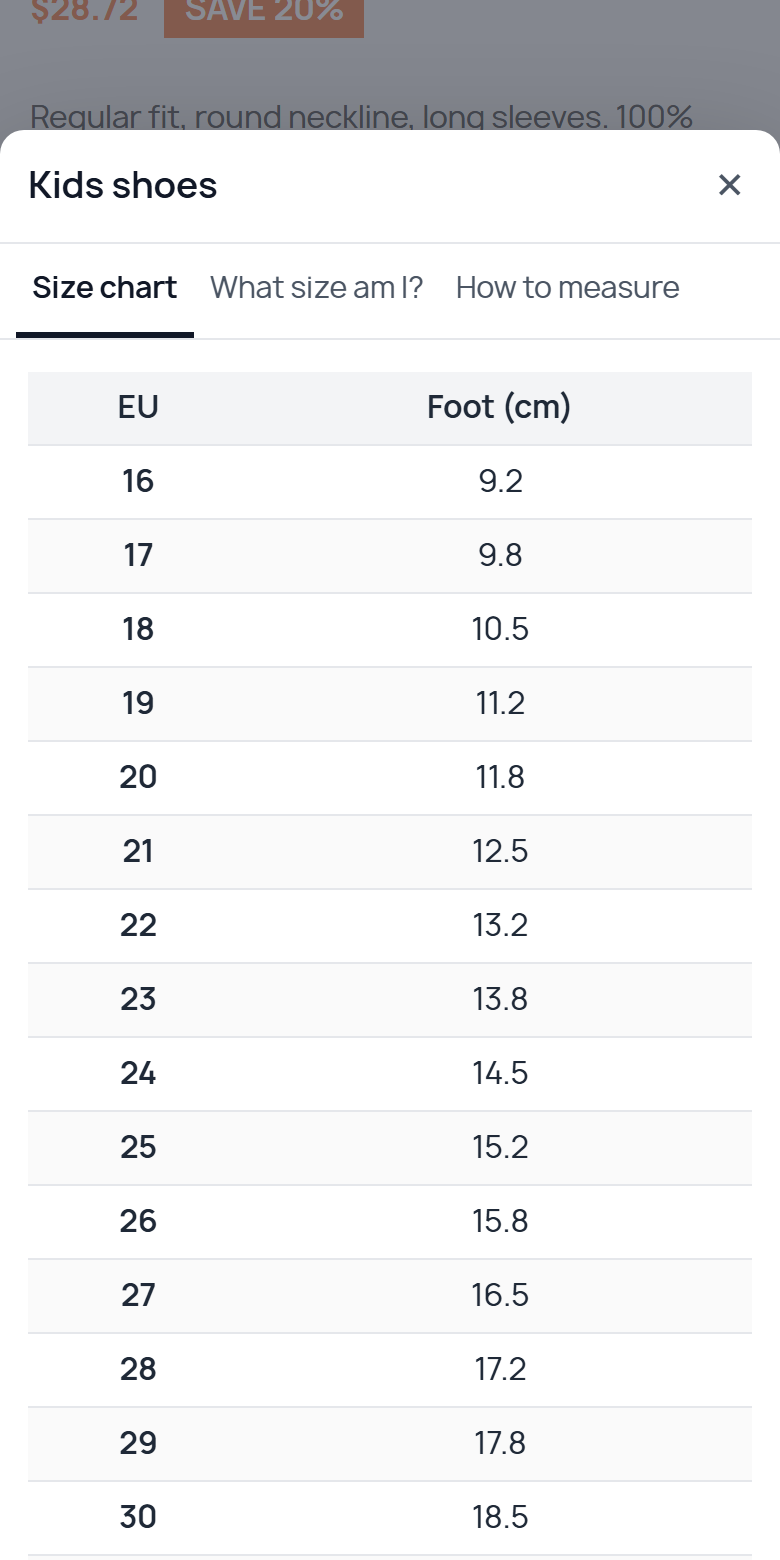
VEO Size Guide adds a PrestaShop size guide: a link on the product page that opens the size chart for that product, with a shoe size calculator and measuring instructions. It works on PrestaShop 1.7.7, 8 and 9.
Why a size guide
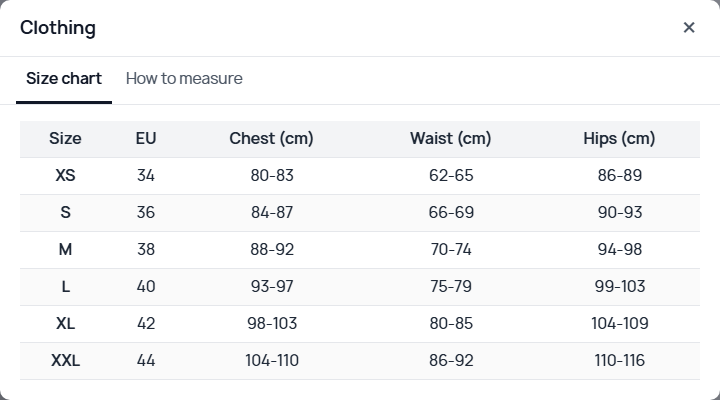
In clothing and shoes, a wrong size is a return. Many shops keep the chart on a CMS page nobody finds, or as an image that cannot be read on a phone. Here the chart sits next to the size selector, as text, and can be copied from Excel.
The chart
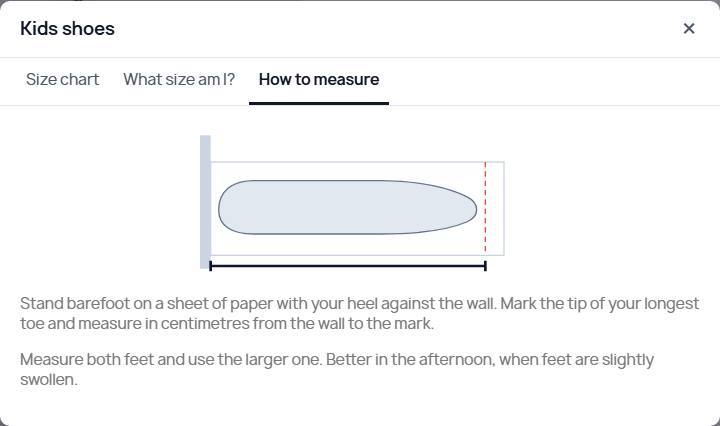
Each guide has its chart, an optional text above it and a "How to measure" tab. It is assigned to categories and, if you want, to brands: a brand's guide wins over the generic one of its category. On each product you can pick another guide or none.
What size am I?
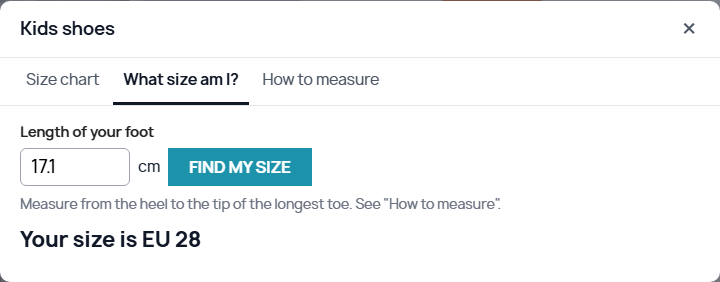
Shoe guides get one more tab. The customer enters their foot length and gets the size, with its equivalents if the chart has them (UK, US). If the product's size attribute matches, a button selects it.
Fit of each product
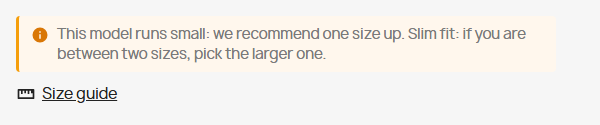
If a model runs small or large, you mark it on the product. The product page says so and the calculator moves the recommendation one size up or down. You can also add a note in each language, such as "narrow fit".
Features
- Guides by category, by brand and by product.
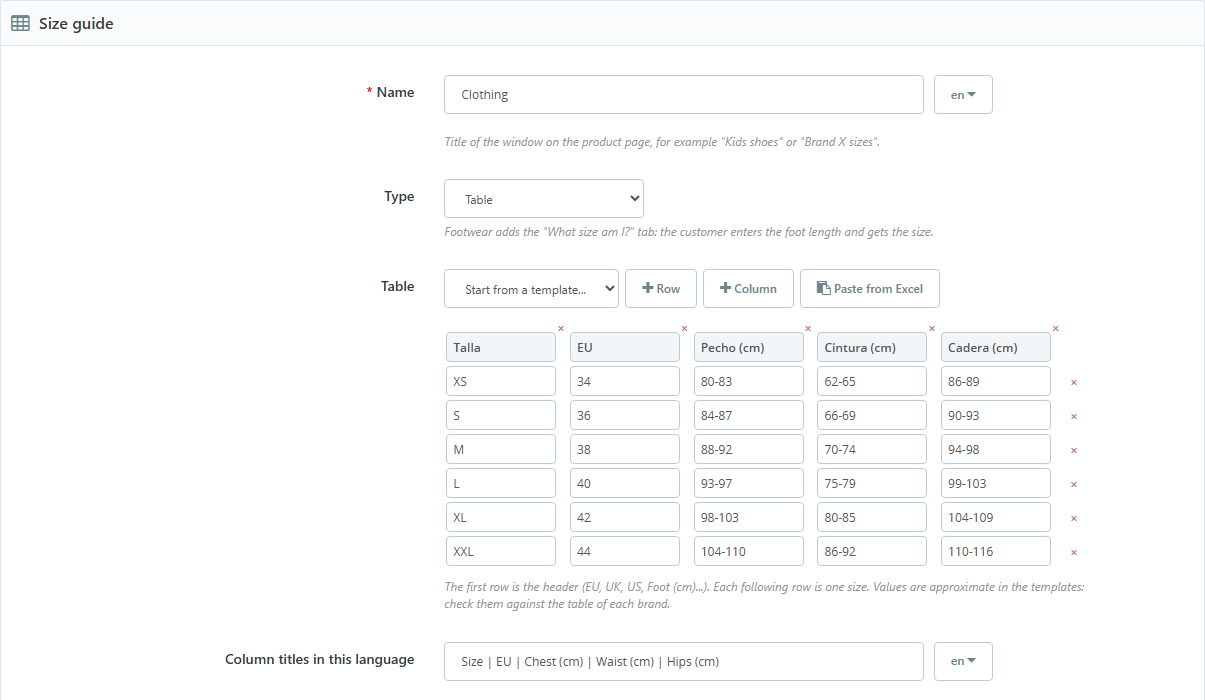
- Chart editor in the back office: rows, columns and paste straight from Excel, Google Sheets or the brand's website.
- Starting templates: kids shoes (EU and cm), adult shoes (EU, UK, US and cm) and clothing (XS to XXL). They are approximate: every brand has its own chart.
- Column titles in each language, and decimals with a comma or a point depending on the customer's language.
- Optional extra room in millimetres, for charts that give the insole length instead of the foot length.
- A window that slides up from the bottom and fills the screen on mobile.
Configuration
Guides are created in Catalog > Size guides. The fit of each product is set in the Modules tab of the product page.
Compatibility
PrestaShop 1.7.7 to 9.2. Tested on 1.7.8.11 with the Classic theme, on 8.2.7 and on 9.2.0 with Hummingbird. No overrides.
Installation
- Upload the ZIP from Modules > Module Manager.
- In Catalog > Size guides, pick the size attribute in the settings.
- Create a guide from a template or by pasting the brand's chart, and tick its categories.
Frequently asked questions
Can I have a different chart for each brand?
Yes. Create one guide per brand and pick the brand in each. Products of that brand use its guide; the rest use the generic one of the category.
Are the template sizes exact?
No. They are a starting chart calculated with the European system (Paris point). Every manufacturer has its own measurements, so pasting the brand's chart is best.
Does it work with clothing sizes (S, M, L)?
Yes. The chart accepts any size and any measurement. The foot length calculator only appears in shoe guides.
Changelog
1.0.1 – 2026-10-20
- `.htaccess` in the module folder that stops its PHP files from being opened directly.
- Code reviewed with the official PrestaShop validator (formatting, headers and good practices). No change in how it works.
1.0.0 – 2026-10-18
- Size guides by category, brand or product in a window on the product page, with chart, calculator and how-to-measure tabs.
- Chart editor with templates, paste from Excel and column titles per language.
- "What size am I?" calculator by foot length, with a button to pick the recommended size.
- Fit per product (runs small or large) with a notice on the product page and a note per language.
Compatibility
| PrestaShop | Module version | Status |
|---|---|---|
| 1.7.7 – 9.2 | 1.0.1 | Compatible |
| 1.7.6 and older | — | Not compatible |
Data sheet
- Versión
- 1.0.1
- Languages
- English, Spanish
- Support languages
- English, Spanish
Will it work in your shop? Ask us before buying
If you need a specific feature, or your PrestaShop version is not listed as tested, tell us. It often works all the same. And if you ask for a feature that improves the module and can help more shops, we add it in a next version at no cost to you. The person who wrote the module answers you.