
- -100%
- New

PrestaShop blog module with WordPress import images

v1.1.1 · updated on 10/20/2026
PrestaShop blog module with WordPress import
A blog inside your shop, with its own SEO, products in the posts and scheduled posts.
If you already have a WordPress blog, you import it with its categories, tags and images.
- PS 1.7
- PS 8
- PS 9
- Instant download from My modules
- Updates from your account

Developed and maintained by Kebes, a PrestaShop Expert level 3 agency with more than 15 years developing for PrestaShop.
VEO Blog adds a PrestaShop blog on your own domain, at /blog. Posts, categories and tags with their meta title and meta description, like the pages of the shop. Products go into the posts and posts show up on the product pages. It works on PrestaShop 1.7.7, 8 and 9.
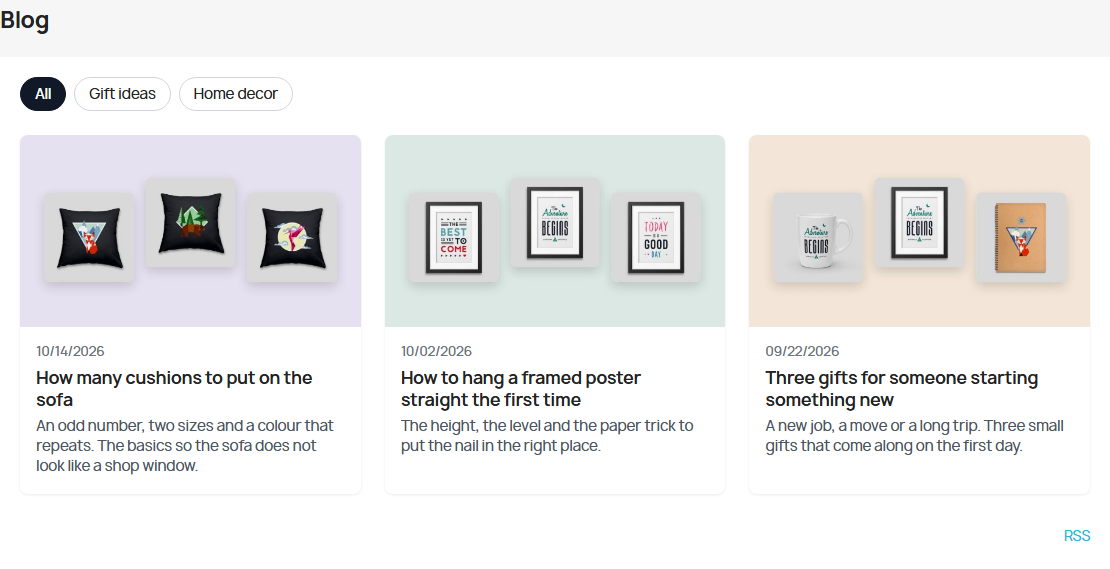
Complete, but simple
We set it up that way from the start: everything a shop blog needs to rank and sell, and nothing else. There are no comments and no author pages. You write the post, pick its image and its products, and publish it or schedule it for another day.
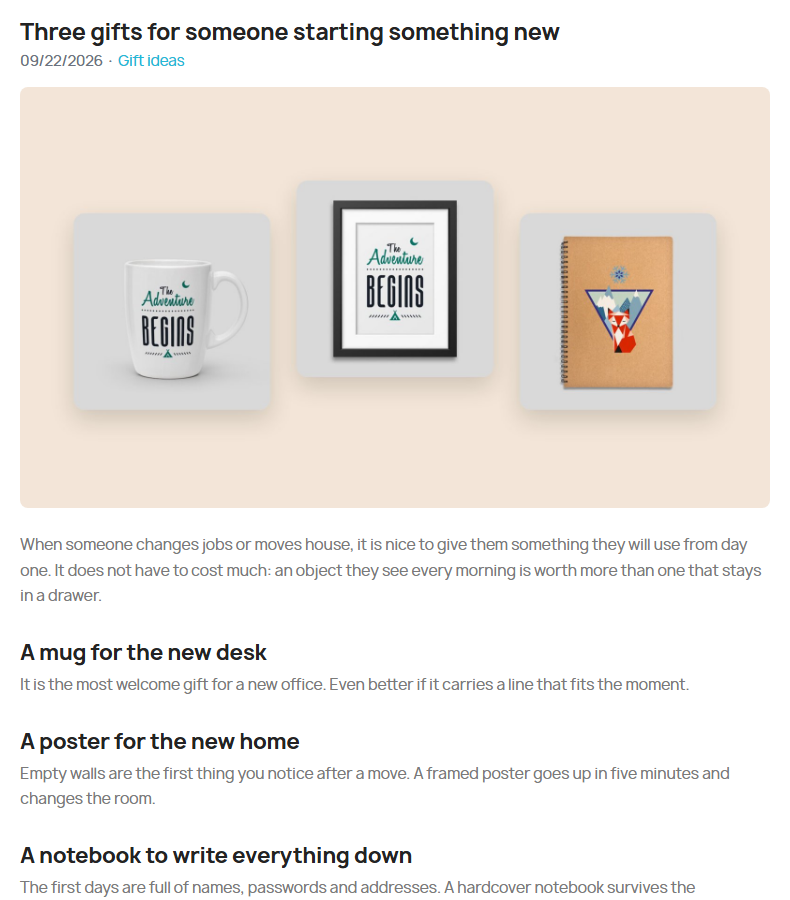
Products inside the posts
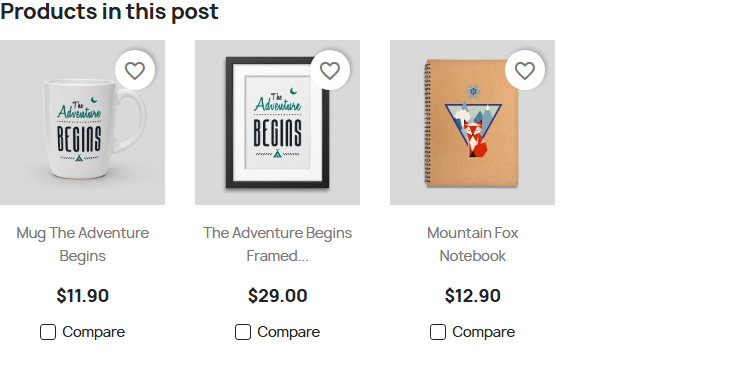
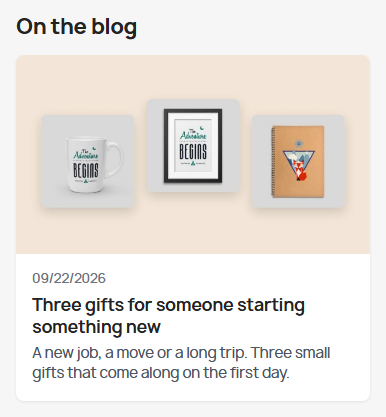
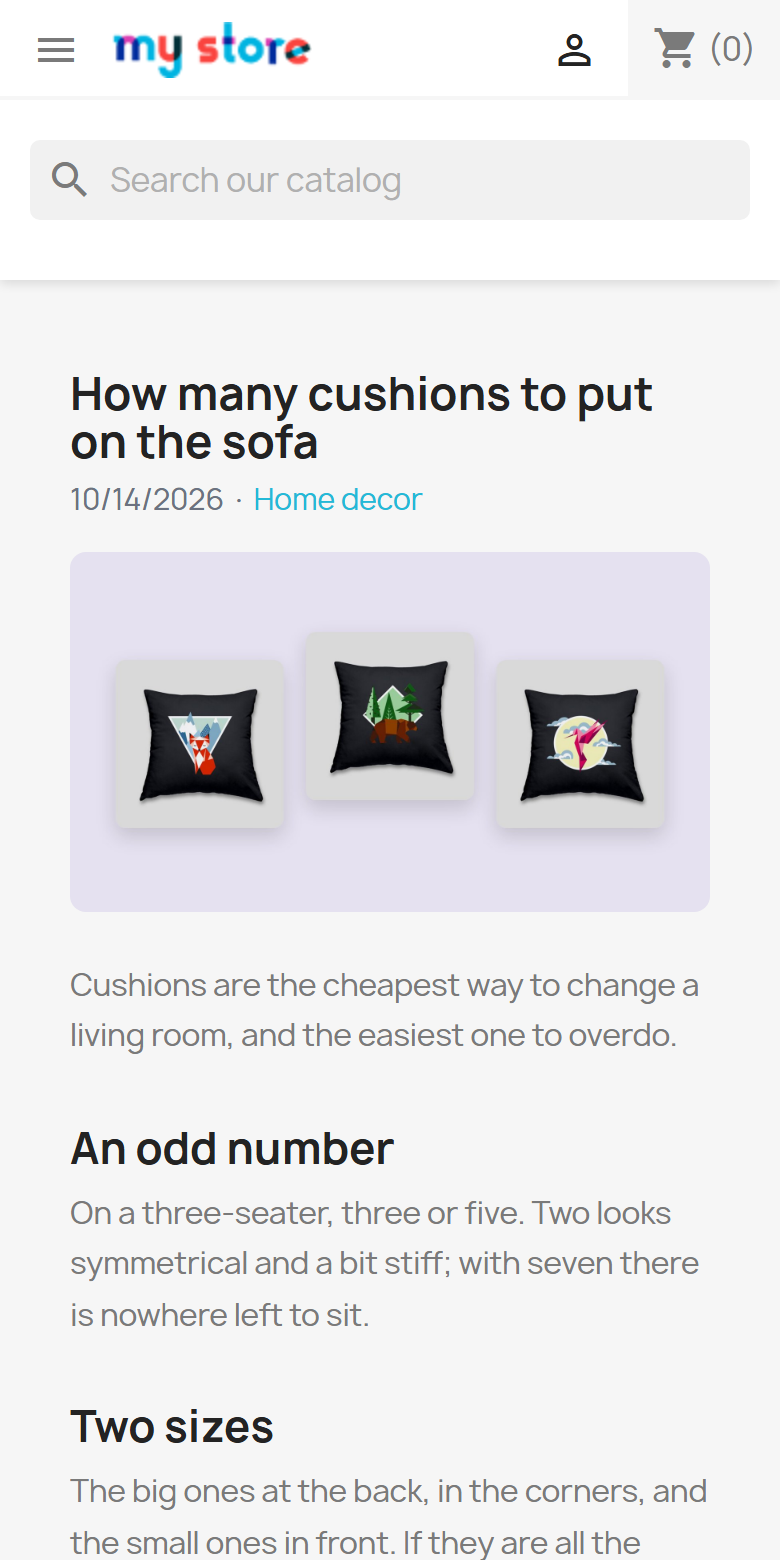
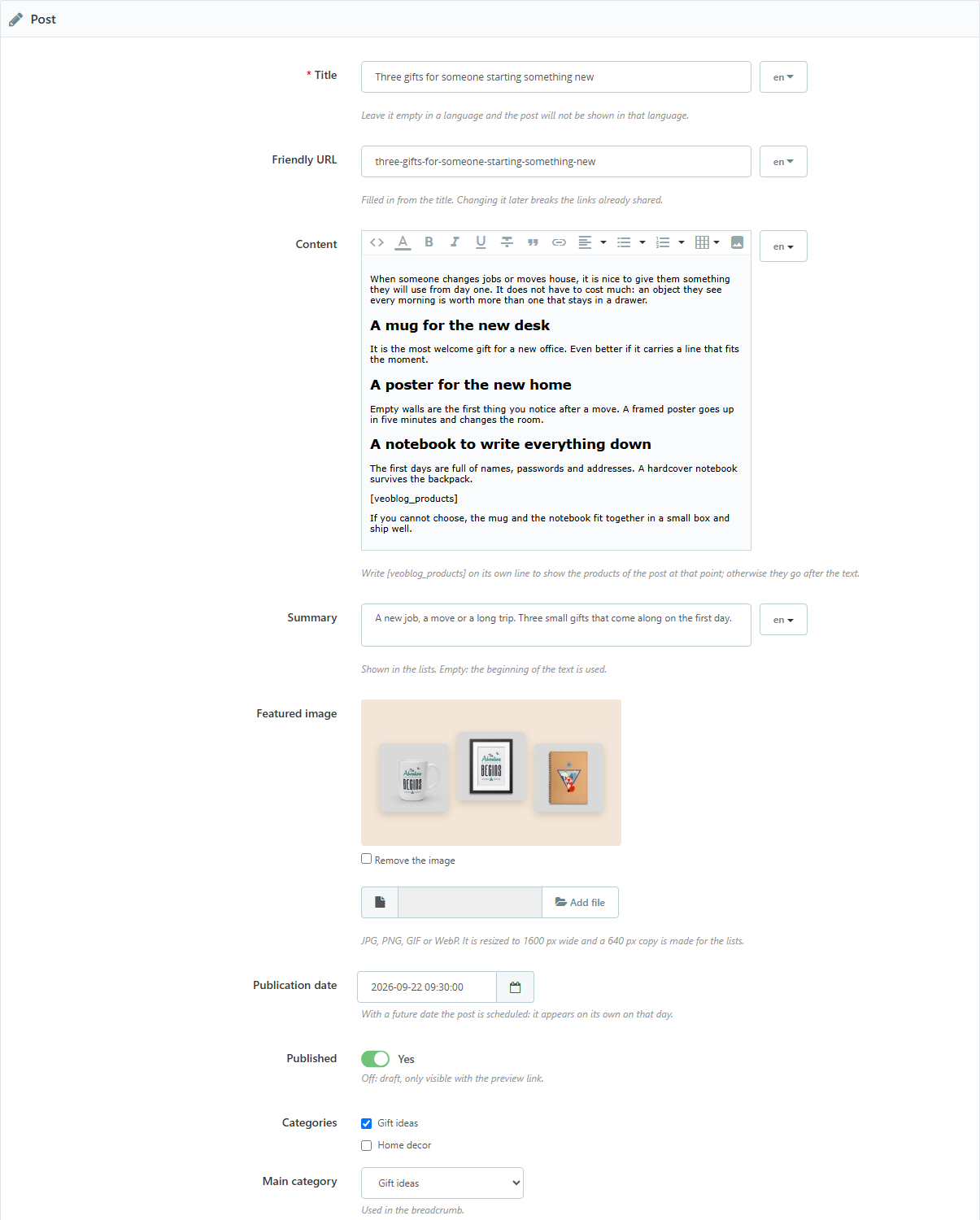
In each post you search products by name or reference. They are shown with your theme's thumbnail and price, after the text or wherever you write [veoblog_products]. It also works the other way: each product page shows the posts that talk about it, in an "On the blog" block.
SEO
- Clean addresses:
/blog/post-name,/blog/category/news. The words "blog", "category" and "tag" can be changed in the settings (one value for all languages). - Meta title and meta description on every post and category. If you leave the description empty, the summary or the beginning of the text is used.
- Canonical, hreflang only for the languages the post is written in, BlogPosting structured data, breadcrumb and Open Graph tags for sharing.
- Its own sitemap at
/blog/sitemap.xml. With the Google sitemap module (gsitemap), posts are also added to the shop's sitemap. - Tag pages are not indexed: they repeat posts already listed elsewhere.
Import from WordPress
In WordPress, Tools > Export > Posts gives you a file. Upload it here and the posts are created with their categories, tags, dates, drafts and scheduled posts. It can copy the featured image and the images inside the posts to the shop.
If the blog was on the same domain and you have VEO Redirection, 301 redirects are created from the old addresses. If it was on another domain, you get the list of old and new addresses to set up there.
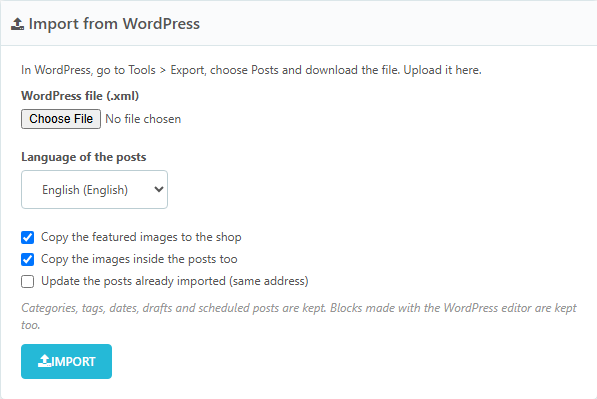
It also exports in the same format. WordPress imports that file, and it works as a full copy of the blog.
Features
- Posts with title, friendly URL, summary, content with the PrestaShop editor, featured image, categories and tags.
- Multilingual: each post has its own text and address in each language. Leave the title empty in a language and the post is not shown in it.
- Scheduled posts: with a future date they appear on their own that day. Drafts and scheduled posts have a preview link that is not indexed.
- Related posts under each post.
- RSS at
/blog/rss.xml. - Featured image resized to 1600 px, with a 640 px copy for the lists.
- Uses your theme's colours, fonts and product thumbnail.
Configuration
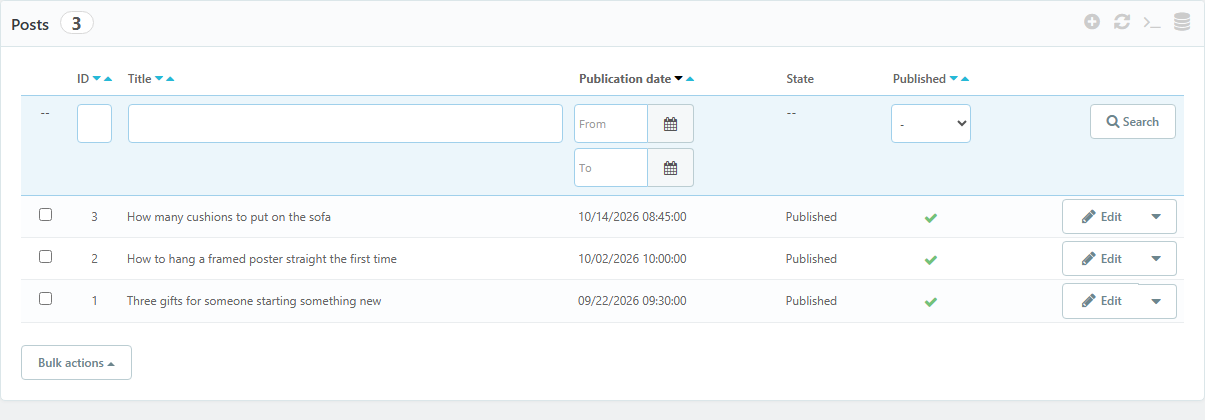
The blog appears in the back office side menu, in the Improve section, with four pages: Posts, Categories, Import and Settings.
Compatibility
PrestaShop 1.7.7 to 9.2. Tested on 1.7.8.11 with the Classic theme, on 8.2.7 and on 9.2.0 with Hummingbird, with and without friendly URLs. No overrides.
Installation
- Upload the ZIP from Modules > Module Manager.
- In Blog > Settings, check the blog address and title.
- Create your categories and posts, or import your WordPress blog.
- Add the blog link to the shop menu or footer.
License
License for one installation, with one year of updates and support. You can modify the module for your shop or your client's; it cannot be redistributed or resold.
Frequently asked questions
Can I move my WordPress blog to PrestaShop?
Yes. Export the posts in WordPress and import them here, one language per file. If you import the same file again, posts that already exist are skipped or updated, as you choose.
What happens to the WordPress block editor blocks?
They are imported and the post shows its text, images and HTML. What does not come across is each block's own styling, which depends on the WordPress theme.
Does it have comments?
No. We left them out on purpose: they need daily moderation and attract spam. If your blog lives on comments, this module is not for you.
Is the blog on my domain?
Yes, at yourshop.com/blog (or yourshop.com/en/blog with several languages). Everything the blog ranks for adds up to your shop.
Changelog
1.1.1 – 2026-10-20
- `.htaccess` in the module folder that stops its PHP files from being opened directly.
- Code reviewed with the official PrestaShop validator (formatting, headers and good practices). No change in how it works.
1.0.0 – 2026-10-19
- Posts, categories and tags with meta title and meta description in each language.
- Scheduled posts, drafts and preview link.
- Products inside posts and "On the blog" on the product page.
- Canonical, hreflang, BlogPosting, Open Graph, RSS and sitemap.
- Import from WordPress with images and 301 redirects, and export in the WordPress format.
Compatibility
| PrestaShop | Module version | Status |
|---|---|---|
| 1.7.7 – 9.2 | 1.1.1 | Compatible |
| 1.7.6 and older | — | Not compatible |
Data sheet
- Versión
- 1.1.1
- Languages
- English, Spanish
- Support languages
- English, Spanish
Will it work in your shop? Ask us before buying
If you need a specific feature, or your PrestaShop version is not listed as tested, tell us. It often works all the same. And if you ask for a feature that improves the module and can help more shops, we add it in a next version at no cost to you. The person who wrote the module answers you.