
- -50%
- New

PrestaShop captcha with reCAPTCHA, Cloudflare Turnstile and hCaptcha against spam and fake accounts images

v1.0.0 · updated on 10/20/2026
PrestaShop captcha with reCAPTCHA, Cloudflare Turnstile and hCaptcha against spam and fake accounts
Stops spam and fake accounts on the six public forms of your shop with Cloudflare Turnstile, Google reCAPTCHA or hCaptcha.
Checked on the server, also when the bot skips the JavaScript. No overrides, any theme.
- PS 1.7
- PS 8
- PS 9
- Instant download after payment
- 3 months of support and 1 year of updates
- 30-day guarantee: if it does not work and we cannot fix it, we refund you

Developed and maintained by Kebes, a PrestaShop Expert level 3 agency with more than 15 years developing for PrestaShop.
VEO Captcha puts a captcha on PrestaShop where bots get in: account registration, login, password recovery, the contact form, newsletter subscription and the back in stock alert. Each form is enabled separately. It works on PrestaShop 1.7.7, 8 and 9.
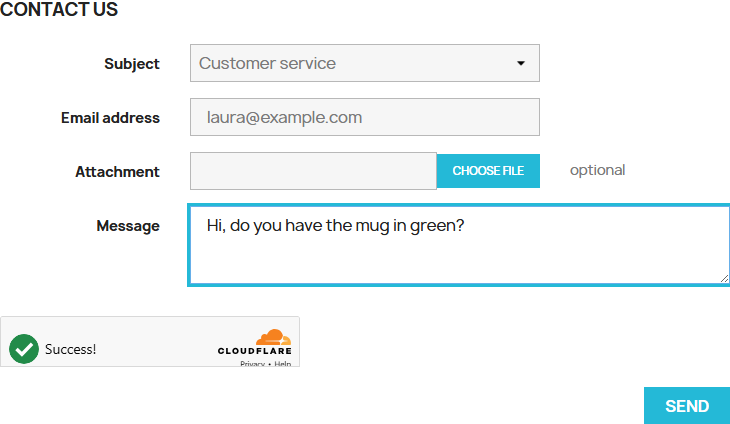
Pick the service
- Cloudflare Turnstile: free, no cookies and almost never anything to click. The one we recommend.
- Google reCAPTCHA v2 with the "I'm not a robot" checkbox, v2 invisible and v3 by score, with the threshold you want.
- hCaptcha.
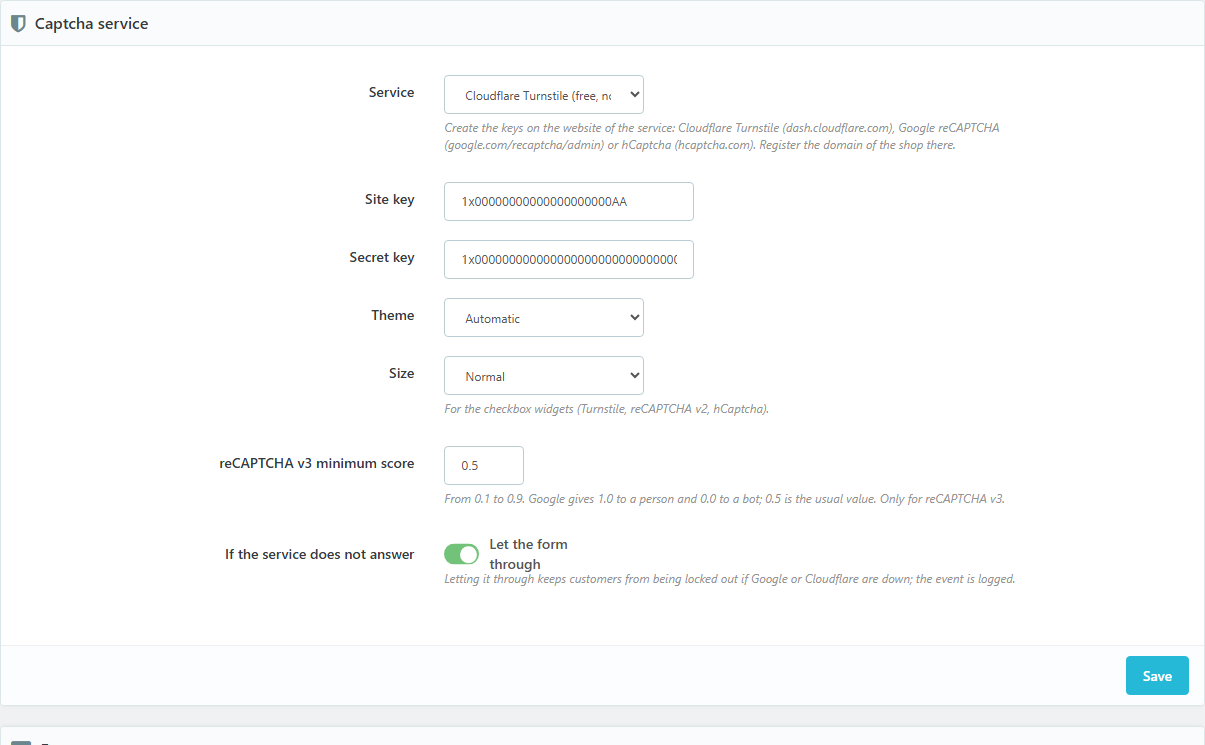
Create the keys on the service's website with your shop domain, paste them in the module and you are done. Light, dark or automatic theme, normal or compact size, and the language of the shop.
No overrides
Captcha modules usually override the form classes of PrestaShop, which is why they clash with other modules or with the theme (the one we took as a reference spends four pages of its manual on what to do when "the validate method is already overridden"). This one touches nothing: the captcha is inserted in each form from the browser and the submission is checked before it reaches the controller. With Classic and Hummingbird there is nothing to set up; with another theme you can tell it where to go.
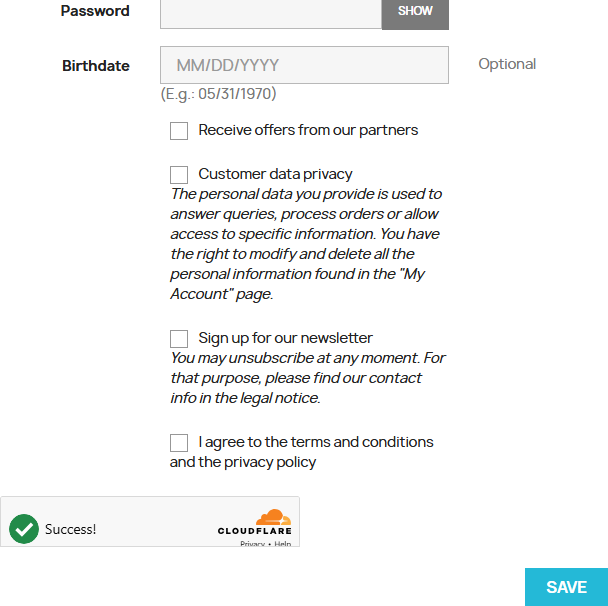
A bot that skips the JavaScript does not get through either
The module recognises every submission on the server by its controller and fields, not by what the browser sends. A submission without a valid token is not processed: the page comes back with the notice and with what the customer had typed.
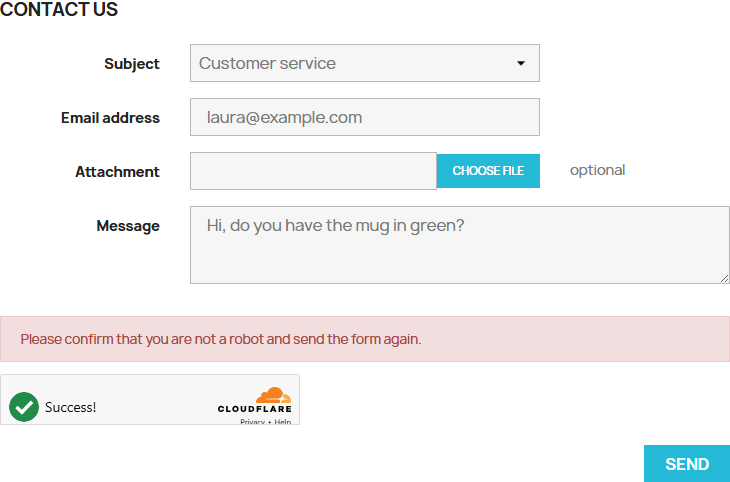
Blacklists and log
IP addresses with a wildcard (69.89.31.*) and emails or domains (*@mail.ru) blocked on every form, with or without captcha keys. Every block goes to a log with the date, form, IP, email and reason, with a weekly summary and automatic deletion after the days you choose.

Built so you do not lose sales
- The login and registration of the checkout are never touched.
- Option to skip logged-in customers.
- If Google or Cloudflare do not answer, you choose whether the form goes through or is blocked. By default it goes through and the event is logged.
- Forms that submit by AJAX (newsletter, stock alert) carry their token too.
What it does not do
It does not cover forms of other modules or page builders (Creative Elements, Elementor), nor reCAPTCHA Enterprise. It is not a firewall: for back office login attempts there is VEO PrestaShield.
Compatibility
PrestaShop 1.7.7 to 9.2. Tested on 1.7.8.11 with the Classic theme, on 8.2.7 with Classic and on 9.2.0 with Hummingbird. No overrides.
Installation
- Upload the ZIP from Modules > Module Manager and click Configure.
- Create the keys at Cloudflare (dash.cloudflare.com, Turnstile), Google (google.com/recaptcha/admin) or hCaptcha with the domain of the shop.
- Paste the site key and the secret key, tick the forms and save.
License
License for one installation, with one year of updates and support. You can modify the module for your shop or your client's; it cannot be redistributed or resold.
Frequently asked questions
Which one should I choose?
Turnstile. It is free, sets no cookies, almost never asks to solve anything and sends no data to Google. If you already have reCAPTCHA keys, they work just the same.
Does it need the cookie banner?
Turnstile uses no cookies. reCAPTCHA and hCaptcha load a script from Google or hCaptcha and may set cookies; if you use VEO GDPR Cookie Compliance or another banner, keep it in mind in your policy.
What if the captcha service goes down?
Your call: by default the form goes through and the module writes the event to the log, so a customer is never unable to write to you because of a Google or Cloudflare outage.
Does it work with my theme?
With Classic and Hummingbird, without touching anything. With another theme, if the captcha does not show on some form, in Advanced you give the selector of the form and of the element it goes before.
Changelog
1.0.0 – 2026-10-20
- Captcha on registration, login, forgotten password, contact, newsletter and stock alert, with Cloudflare Turnstile, Google reCAPTCHA v2, v2 invisible and v3, or hCaptcha.
- Server-side check of every submission, including those sent without JavaScript.
- IP and email blacklists with wildcards.
- Log of blocked submissions with automatic cleanup.
- Options to skip logged-in customers and to let the form through if the service does not answer.
Compatibility
| PrestaShop | Module version | Status |
|---|---|---|
| 1.7.7 – 9.2 | 1.0.0 | Tested on 10/20/2026 |
| 1.7.6 and older | — | Not compatible |
| PHP | 7.2 – 8.4 | Compatible |
Data sheet
- Versión
- 1.0.0
- Languages
- English, Spanish
- Support languages
- English, Spanish
Will it work in your shop? Ask us before buying
If you need a specific feature, or your PrestaShop version is not listed as tested, tell us. It often works all the same. And if you ask for a feature that improves the module and can help more shops, we add it in a next version at no cost to you. The person who wrote the module answers you.
Support and licence
Help with installation, configuration and errors of the module, by ticket from My modules, in Spanish.
New versions and adaptations to PrestaShop from your account. Afterwards the module keeps working.
Standard: one shop in production plus its test copies. Agency: unlimited shops of your clients.