
- New

Product images per language for PrestaShop images

v1.0.1 · updated on 10/20/2026
Product images per language for PrestaShop
In PrestaShop the images of a product are the same in every language. With this module you choose in which languages each one is shown.
The Spanish shop shows the Spanish photo and the English one, the English photo. Free.
- PS 1.7
- PS 8
- PS 9
- Instant download from My modules
- Updates from your account

Developed and maintained by Kebes, a PrestaShop Expert level 3 agency with more than 15 years developing for PrestaShop.
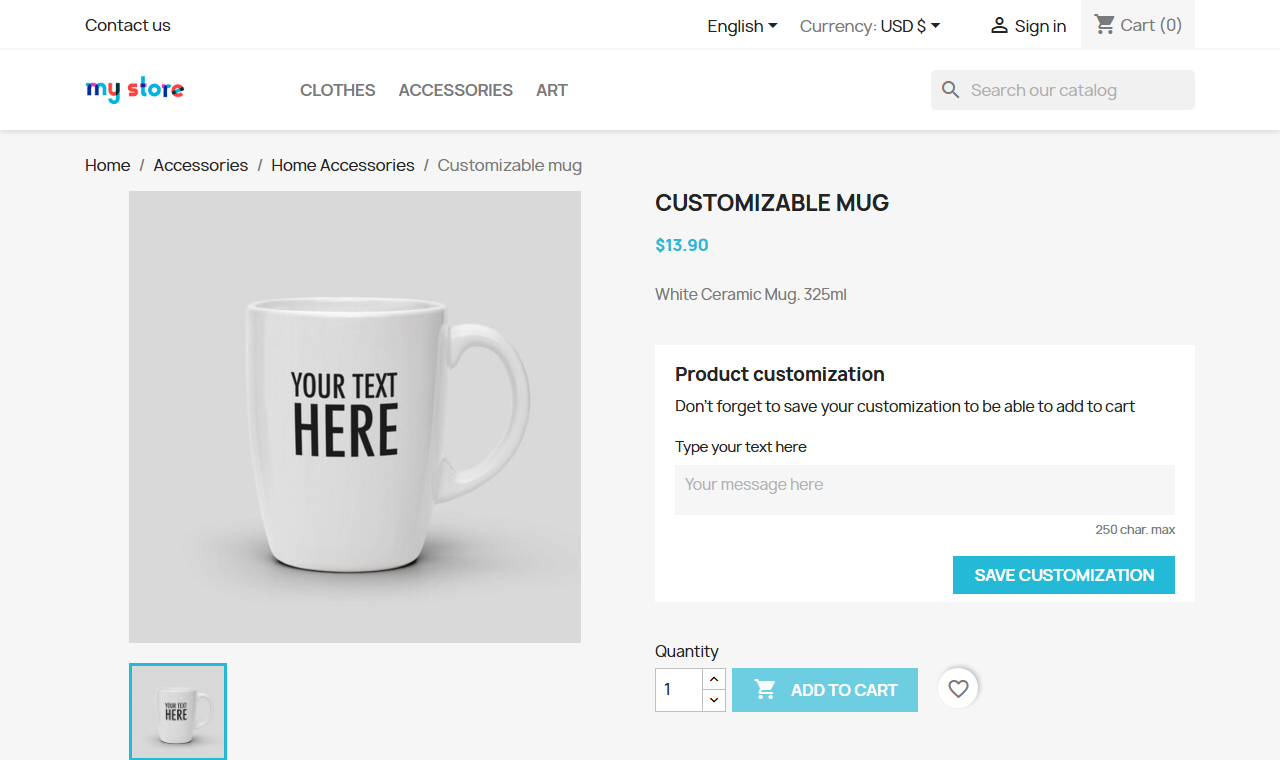
VEO Images per Language gives you product images per language in PrestaShop. The core only translates the image caption; the photo is the same for everyone. If you sell a product with text on the image (packaging, a label, a screenshot), English customers end up seeing the Spanish version.
We built it for veomod.com, where every module has screenshots in Spanish and in English.
How to use it
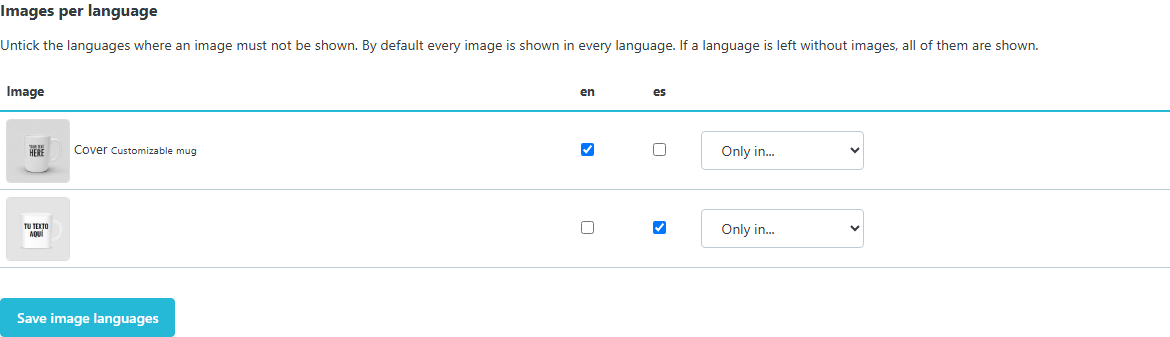
On the product page in the back office, Modules tab, the images are listed with a box per language. Untick the languages where an image must not be shown, or pick "Only in..." to keep it in one. By default every image is shown in every language, so you only touch the products that need it.
Where it applies
- Product page, also when changing combination and in the quick view.
- Category, search and home lists.
- Cart, on PrestaShop 9.
- If the cover is hidden in a language, the first visible image becomes the cover in that language, also in the image shared on social networks (
og:image).
If a language is left without any image, all of them are shown: the module never leaves a product without a photo.
Compatibility
PrestaShop 1.7.8 to 9.2. Tested on 1.7.8.11 with the Classic theme, on 8.2.7 and on 9.2.0. No overrides.
Installation
Upload the ZIP from Modules > Module Manager. There is nothing to configure: it is used from each product page.
Frequently asked questions
Do I have to upload the images twice?
Yes, one per language, like any product image. Then you tick the language of each one.
What about combination images?
They keep working: PrestaShop picks the combination images and the module removes the ones from other languages.
Does it affect performance?
It reads a small table once per page and filters in memory. No extra queries per product.
Changelog
1.0.1 – 2026-10-20
- `.htaccess` in the module folder that stops its PHP files from being opened directly.
- Code reviewed with the official PrestaShop validator (formatting, headers and good practices). No change in how it works.
1.0.0 – 2026-10-18
- Languages of each product image in the Modules tab of the product page.
- Image filter per language on the product page, lists and quick view (and the cart on PrestaShop 9), with a cover per language.
Compatibility
| PrestaShop | Module version | Status |
|---|---|---|
| 1.7.8 – 9.2 | 1.0.1 | Compatible |
| 1.7.7 and older | — | Not compatible |
Data sheet
- Versión
- 1.0.1
- Languages
- English, Spanish
- Support languages
- English, Spanish
Will it work in your shop? Ask us before buying
If you need a specific feature, or your PrestaShop version is not listed as tested, tell us. It often works all the same. And if you ask for a feature that improves the module and can help more shops, we add it in a next version at no cost to you. The person who wrote the module answers you.