
- New

Cookie-free PrestaShop popup in every language, on the pages you choose images

v1.1.1 · updated on 11/08/2026
Validated with the official PrestaShop validator
Cookie-free PrestaShop popup in every language, on the pages you choose
Free module to show a PrestaShop popup: an announcement, an offer or new opening hours, with its own text and image in every shop language.
You choose the pages, how often it appears and how many seconds it waits. It remembers who has seen it without cookies, so it stays out of your cookie banner and plays well with full page caching.
- PS 1.7
- PS 8
- PS 9
- Instant download from My modules
- Updates from your account

Developed and maintained by Kebes, a PrestaShop Expert level 3 agency with more than 15 years developing for PrestaShop.
VEO Popup adds a PrestaShop popup for whatever you need to announce: a sale, free shipping over a certain amount, the warehouse closing for the holidays, a discount code. It is free and runs on PrestaShop 1.7.0 to 9.2.
The problem: popups that annoy, track or trap visitors
Most popups drop a cookie to remember that the visitor closed them. That cookie belongs in your cookie banner and, depending on how it is classified, may have to wait for consent. Others break behind a page cache because the server decides who sees them. And some setups end up with no close button and no click-outside option, leaving the visitor stuck in front of your shop.
How it solves it
The popup is remembered in the browser's localStorage, not in a cookie. Nothing is sent to the server on each page view, no consent is required, and the browser makes the call on whether to open it, so one cached page works for everybody. Write the content in the back office editor, add an image if you like and pick when it shows. Every time you save, the popup appears again for everyone, including visitors who closed the previous one.
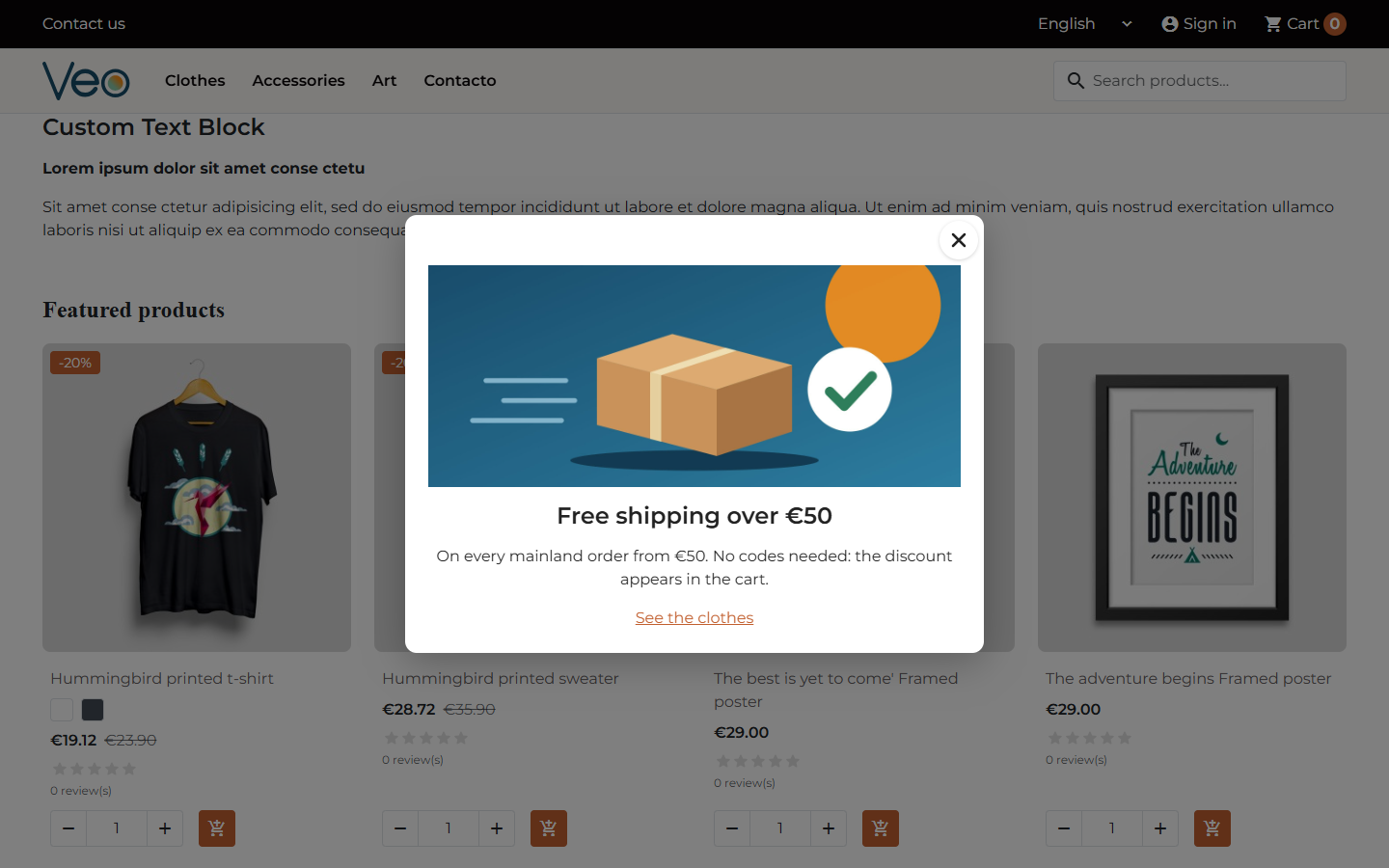
Built for phones and keyboards
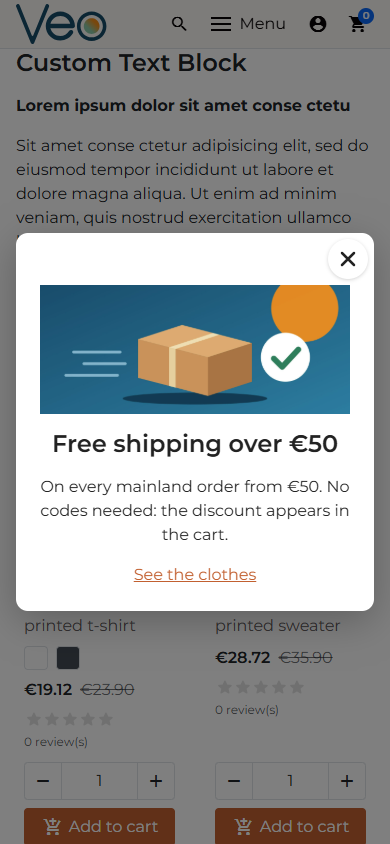
It uses the browser's native <dialog> element. Esc closes it, focus stays inside while it is open, and screen readers announce it. The close button is always there: you can place it inside or outside the box, but not remove it. Closing on an outside click is optional; the X and Esc always work.
On phones the box fits the screen, and long content scrolls inside it while the X stays in view.
Features
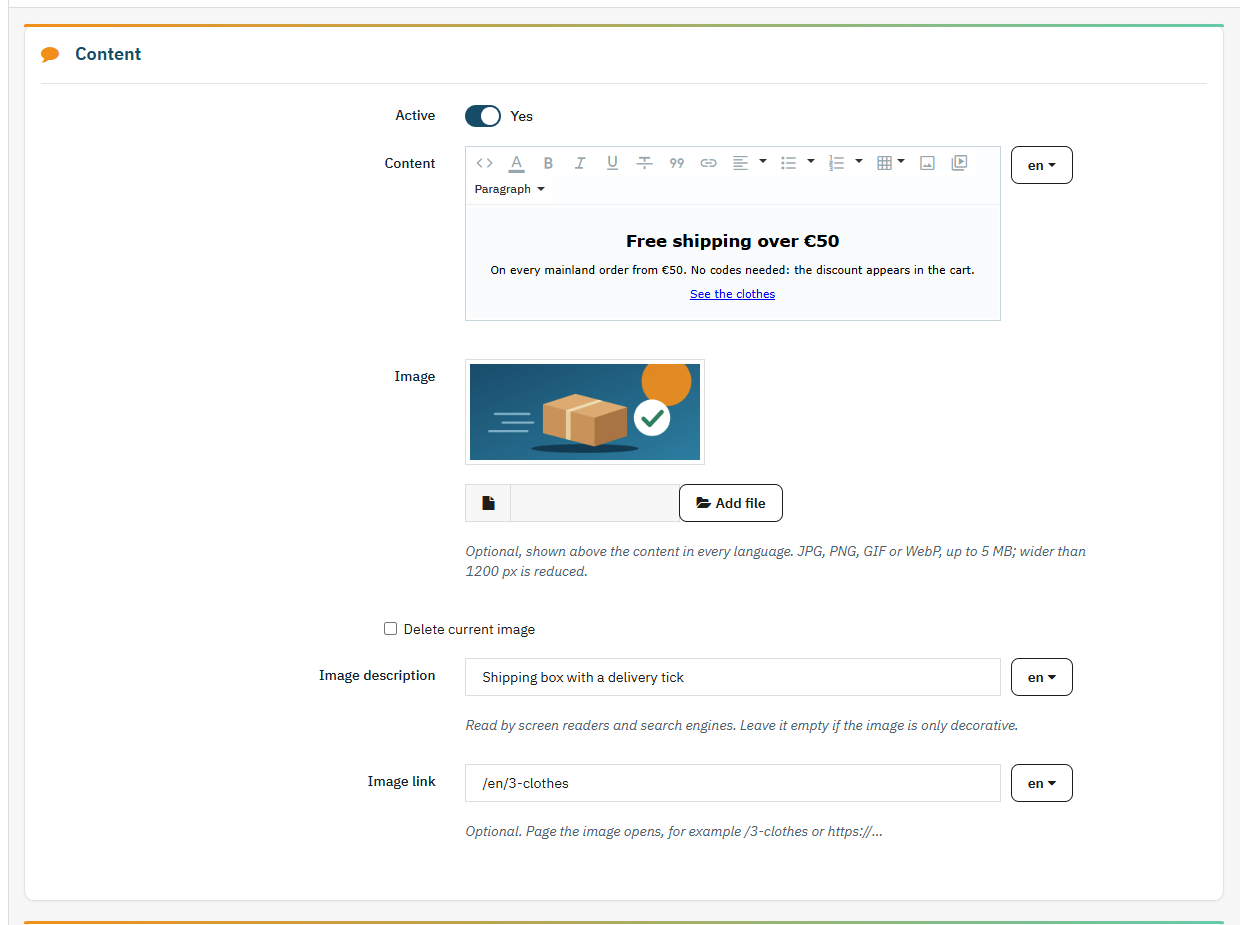
- Content written with the back office editor, different for each language: bold, lists, links, alignment.
- Optional image above the text: JPG, PNG, GIF or WebP up to 5 MB. Anything wider than 1200 px is scaled down on upload.
- The image is output with its width and height, so the box does not jump while it loads.
- Image description (alt text) and image link per language, so the Spanish popup can point to one category and the English one to another.
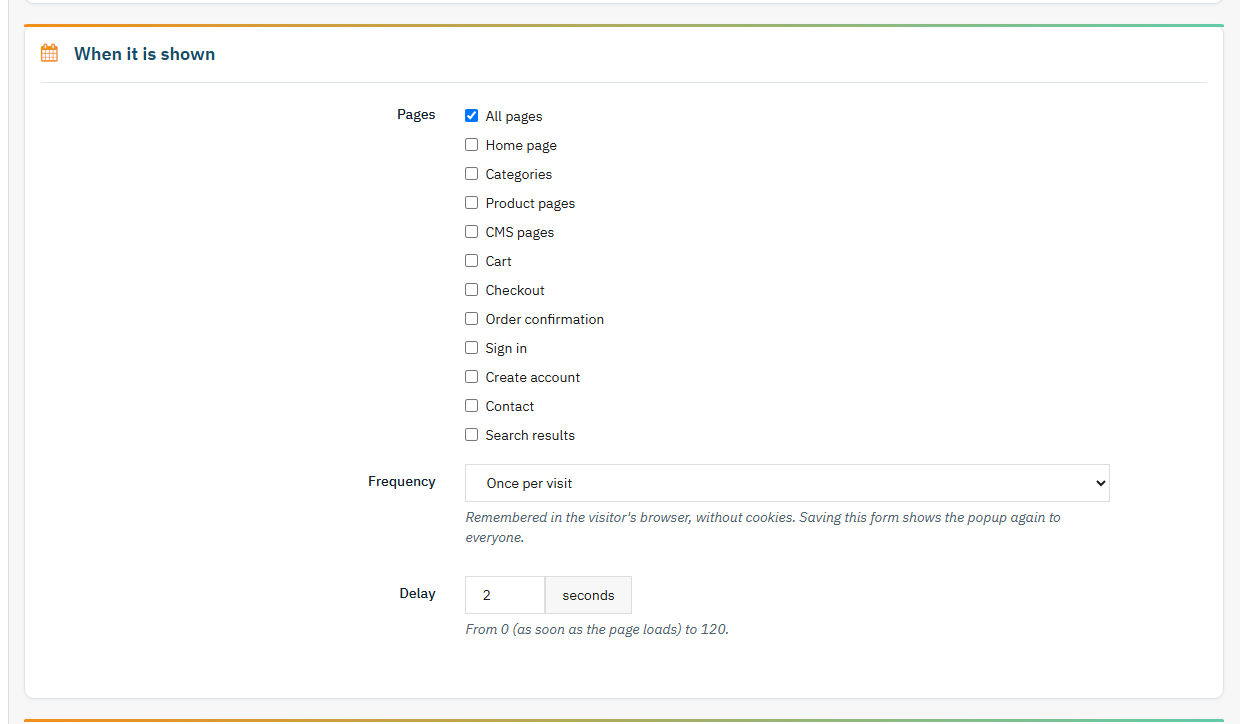
- Pages: all of them, or any mix of home, categories, product pages, CMS pages, cart, checkout, order confirmation, sign in, create account, contact and search results.
- Frequency: once per visit, once a day, once a week, once a month or only once. "Once per visit" covers every open tab and ends after 30 minutes without a page view.
- Delay from 0 to 120 seconds before it opens.
- Look: maximum width from 280 to 1200 px, rounded corners, dark mode, close button colour and position, overlay colour and opacity.
- In dark mode the text stays readable on any theme, and if the close button colour blends into the box, the module switches it so it remains visible.
- CSS and JavaScript are only loaded on pages where the popup shows. Everywhere else the module adds nothing. The script is deferred.
This is a single popup, shown the same way to every visitor. Exit intent, start and end dates, targeting, newsletter sign-up, multiple popups and statistics will come in the Pro version, currently in the works.
Compatibility
Compatible with PrestaShop 1.7.0 to 9.2 and PHP 5.6 to 8.3. Tested on PrestaShop 1.7.0.6, 1.7.5.2, 1.7.6.9, 1.7.8.11, 8.2.7, 9.1.4 and 9.2.0. No overrides, no core changes: the popup is rendered on the standard displayBeforeBodyClosingTag hook.
Installation
Upload the ZIP from Modules > Module Manager and click Configure. The popup is installed switched off with sample text: write your own, turn it on and save. Every option is covered in the PDF manual.
If what you need is a cookie banner that blocks scripts until consent, see VEO GDPR Cookies. For a notice that sits inside the page instead of a window, VEO Simple HTML places an HTML block on the hook of your choice.
Frequently asked questions
Do I need to list the popup in my cookie banner?
No. The module sets no cookies. It stores in the browser's localStorage when the visitor last saw the popup, only so it is not repeated too soon, and that value is never sent to the server.
Does it work with page caching or a CDN?
Yes. The server outputs the same HTML for everyone and the browser decides whether to open the window, so a cached page neither forces the popup on everyone nor hides it from people who have not seen it.
I changed the text and the popup does not show again. Why?
It should: every time you save the settings, the popup shows again for all visitors. If you do not see it, check that your page cache was cleared after saving and that you are on one of the selected pages.
Can each language have a different popup?
The text, the image description and the image link are set separately for each language. The image itself is shared. If a language has neither text nor image, the popup does not show in that language.
Can I remove the close button so people have to read it?
No. The X is always there and Esc always closes it. A window you cannot close sends people away from the shop, and it is an accessibility failure too.
Does it show in every browser?
It shows in current browsers, which all support the <dialog> element. In a very old browser without it, the popup simply does not appear and the page works as usual.
What happens if I uninstall it?
The settings and the uploaded image are deleted. If you only want to hide it for a while, switch it off in the settings and keep your content.
Changelog
1.1.1 – 2026-11-08
- Notice on the configuration page when a new version is available on veomod.com (checked once a day without sending any shop data; if veomod does not respond, the module works the same) and links to other Veo modules.
1.1.0 – 2026-11-06
New: content, image description and image link in every shop language.
New: the image can link to a page.
New: delay before the popup opens.
New: frequency picked from a list: once per visit, a day, a week, a month or only once.
New: the popup shows again for everyone when the settings are saved.
New: Veo support and news notice at the bottom of the settings page.
Improved: the popup is remembered in the browser without cookies ("once per visit" covers every tab until 30 minutes without activity): no consent needed, nothing to add to the cookie banner, and it works with page caching.
Improved: the popup is an accessible dialog: Esc closes it, focus stays inside and screen readers announce it.
Improved: it fits phone screens and scrolls inside when the content is long, with the X always in view.
Improved: in dark mode the content text is readable on any theme and the default X switches to a light colour.
Improved: CSS and JS only load on pages where the popup shows.
Improved: the image is stored in img/veopopup/, scaled down to 1200 px wide and output with its width and height so the page does not jump while loading.
Improved: simpler settings: the custom close icon, the five X thicknesses, the fixed height and the background blur are gone.
Improved: shared Veo look in the back office.
Improved: upgrading keeps your 1.0.x settings.
Fixed: the interval between appearances did not work.
Fixed: the order confirmation and sign-in pages could not be selected.
Fixed: with the X set to "nowhere" and a non-clickable overlay, the popup could not be closed.
Fixed: quotes in the content were mangled on save.
Fixed: reloading the page no longer resubmits the form.
Important: AFL 3.0 licence (free).
Important: images are checked by their content and SVG is no longer accepted (the SVG icon allowed code to be injected).
1.0.1 – 2026-10-17
Improved: the settings form labels are now translatable.
Improved: the close button has translatable accessible text.
Improved: full Spanish translation.
Compatibility
| PrestaShop | Module version | Status |
|---|---|---|
| 1.7.0 – 9.2 | 1.1.1 | Tested on 11/08/2026 |
| 1.6.1 and older | — | Not compatible |
| PHP | 5.6 – 8.3 | Compatible |
Data sheet
- Versión
- 1.1.1
- Languages
- English, Spanish
- Support languages
- English, Spanish
Will it work in your shop? Ask us before buying
If you need a specific feature, or your PrestaShop version is not listed as tested, tell us. It often works all the same. And if you ask for a feature that improves the module and can help more shops, we add it in a next version at no cost to you. The person who wrote the module answers you.